UNDERTALE Multiplayer Getting Started in UNDERTALE: Multiplayer
From first join to your first boss attempt — a complete beginner walkthrough.
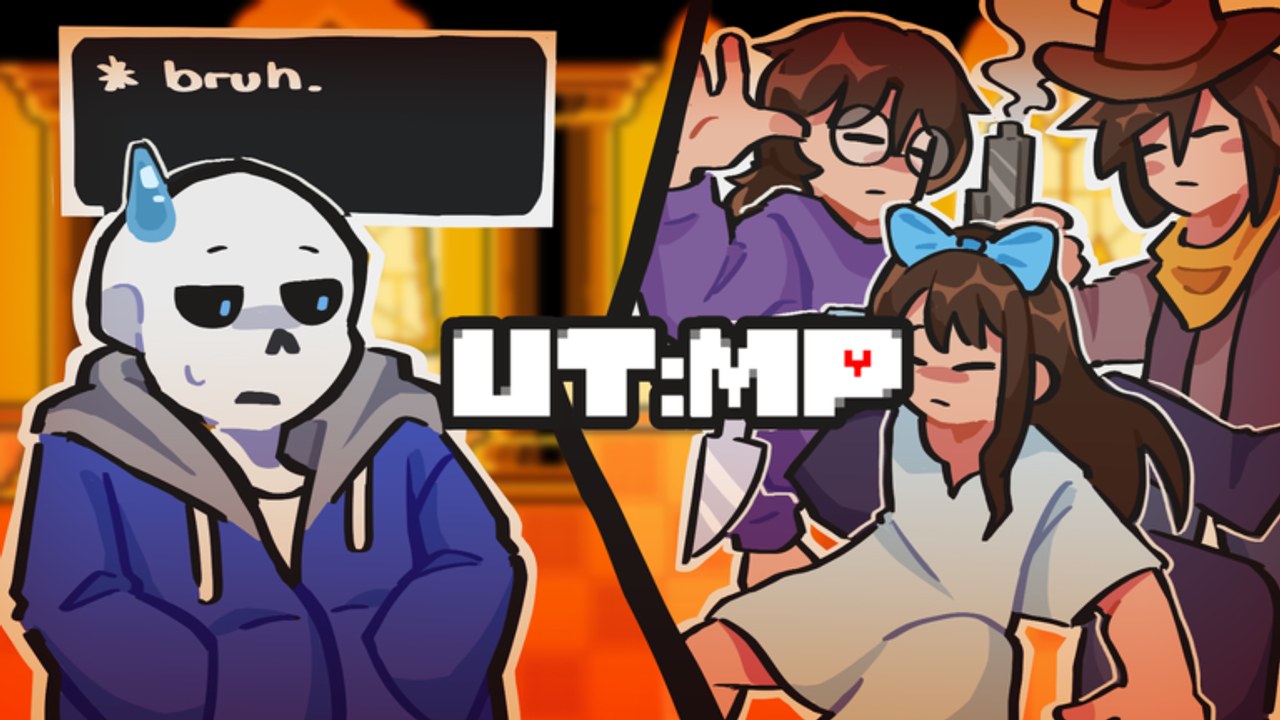
UNDERTALE: Multiplayer by Awar_T is a Roblox turn-based RPG that recreates Undertale-style battles and popular fangame encounters inside shared lobbies. Sessions support up to 15 players. Progress revolves around coins, a level that raises your HP, a shop with boosters, and badge challenges such as beating Sans, surviving Last Breath, and meeting the creator. The experience launched on August 3, 2026 and has already passed 3.2 million visits. This guide walks you from a cold start to a confident first hour.
Join the game on Roblox
- Open Roblox on desktop or mobile and sign in.
- Search for UNDERTALE: Multiplayer or open the place directly from this wiki’s game link.
- Confirm you are joining the Awar_T experience (place
135172403389029). - Wait for the lobby to load. If the title briefly shows [SOON], the place is in maintenance — check our Updates Hub and retry after a few minutes.
Desktop is strongly recommended. Undertale-like menus expect precise confirm and cancel inputs; phone touch works, but boss fights are harder without keyboard arrows.
Your first session checklist
Spend the opening minutes on orientation instead of diving straight into the hardest fight:
- Learn the UI — Menus feel like classic Undertale. Arrow keys (or WASD where supported) move the selection; Z confirms; X cancels or backs out. Full details live on the Controls page.
- Find the Codes UI — Redeem every active gift before you grind. Visit Codes for the live list and redemption steps (usually Settings — Profile, then paste and press Z).
- Note your level and HP — Level equals HP pool. Early levels make every bullet pattern more forgiving.
- Locate the shop — Browse boosters and coin sinks so you know what to save for.
- Watch other players — Lobbing into a busy server teaches fight entrances, queue etiquette, and which encounters are popular tonight.
Claim codes first. Milestone codes such as visit celebrations and thank-you drops often grant free coins or an instant level — free progress that shortens the early grind.
Claim codes the smart way
Codes are case-sensitive. Copy-paste from the Codes Hub rather than typing by hand. After redeeming:
- Confirm coins or level rewards appear on your profile.
- Spend early coins on durable value (HP-related boosts or useful shop items) instead of impulse cosmetics if your goal is badges.
- Recheck the codes page after visit milestones and patches; new strings appear when the community hits 1M / 2M / 3M visits and during thank-you events.
If a code fails, leave a space-free paste, verify you are in the correct place, and wait for the next published batch rather than spamming typos.
Level up — why HP matters
In UNDERTALE: Multiplayer, leveling raises your HP. Higher HP means more mistakes are survivable during Sans and Last Breath patterns. Practical early goals:
- Redeem any level-granting code immediately.
- Play fights you can clear consistently to earn coins and incremental levels.
- Avoid burning every coin on novelty until your HP feels comfortable for mid-tier encounters.
- When you plateau, read Coins and Levels for grind versus Robux booster trade-offs.
Think of level as a soft skill ceiling. Pattern knowledge still wins fights, but raw HP buys the practice time you need to learn those patterns.
Find fights and learn the loop
Combat is turn-based with a soul you steer through bullet hell. Lobby players hop between Undertale-inspired and fangame-inspired encounters. For your first fights:
- Start with approachable enemies while you memorize Z / X timing.
- Watch how veterans dodge before you queue the same boss.
- Treat every death as pattern study — note telegraphs, safe corners, and when to spare versus attack if the encounter offers that choice.
- When you feel ready, open the Beat Sans guide, then later Beat Last Breath.
Use the Tier List to prioritize which fights or tools give the best practice value for your current level.
Shop and boosters
The shop converts coins (and optional Robux offers) into boosters and helpful items. New-player rules of thumb:
- Buy what shortens the HP grind or stabilizes fights you already attempt.
- Skip every flashy purchase until codes and free play have padded your wallet.
- Revisit the shop after each code dump — sometimes a small booster unlocks a much smoother badge attempt.
Boosters are accelerators, not substitutes for learning dodge routes. A boosted low-skill run still fails the same bone walls.
Multiplayer etiquette (max 15 players)
Shared lobbies stay fun when everyone follows light manners:
- Do not block fight entrances or spam menus over someone mid-turn.
- Give space when a player is clearly attempting a serious badge run.
- Celebrate wins without flooding chat during tense phases.
- Never harass players who die to Sans or Last Breath — those fights exist to be hard.
- If you meet Awar_T in-server, be respectful; the met creator badge is a community moment, not a mob pile-on.
Servers cap around 15 players, so one disruptive person is noticeable. Be the reason someone stays.
Recommended next steps
After one solid session, follow this order:
- Master inputs on Controls.
- Keep Codes bookmarked for new drops.
- Plan economy with Coins and Levels.
- Attempt Beat Sans once your HP and confidence rise.
- Treat Beat Last Breath as a long-term badge project.
- Cross-check priorities on the Tier List.
- Skim Players for creator, badge, and community context, and Updates whenever the title flips to [SOON].
Common beginner mistakes
- Skipping codes and wondering why progress feels slow.
- Jumping into Last Breath at level one for a “funny clip.”
- Ignoring Z / X muscle memory and blaming lag for menu misclicks.
- Spending all coins before understanding which shop items help HP.
- Playing only on a tiny phone screen for precision bullet hell.
Fix those five and your first week becomes dramatically smoother.
Why this wiki helps
UNDERTALE: Multiplayer mixes nostalgia with Roblox session play. Guides here stay locale-agnostic in links, update around real visit milestones, and point you to working codes instead of rumor threads. Bookmark the homepage, redeem gifts, raise HP, and climb toward the Sans and Last Breath badges at your own pace.
Frequently Asked Questions
Quick answers for codes, bosses, and multiplayer lobbies.
Is UNDERTALE: Multiplayer free to play on Roblox?
Yes. You can join with a Roblox account at no cost. Optional Robux purchases and shop boosters exist, but codes, leveling, and normal play are available without paying.
What should I do first after joining?
Learn Z confirm / X cancel controls, redeem every code on the Codes page, check your level (HP), then practice easier fights before Sans or Last Breath.
How many players can share a session?
Lobbies support up to about 15 players. Keep fight entrances clear and respect serious badge attempts.
Why does the game title sometimes show [SOON]?
Awar_T uses [SOON] during maintenance or update windows. Wait a bit, check the Updates hub, then rejoin when the place is back online.
Where do I go after this beginner guide?
Read Controls, keep claiming Codes, then follow Beat Sans, Coins and Levels, and eventually Beat Last Breath, using the Tier List to prioritize practice.